Measurement Based Care: Administering GAD-7 and PHQ-9 in AdvancedMD
As part of Marvin’s commitment to Measurement-Based Care, therapists can now administer the GAD-7 and PHQ-9 assessments directly during sessions in AdvancedMD. This enhancement makes it easier to capture real-time client data, track progress, and strengthen collaborative care.
Administering the GAD-7 and PHQ-9 in AdvancedMD
Step 1: Open the clients chart
- Log into AdvancedMD EHR
- Open your clients chart. This can be done by searching for their name (Last, First)

Step 2: Create a new note
-
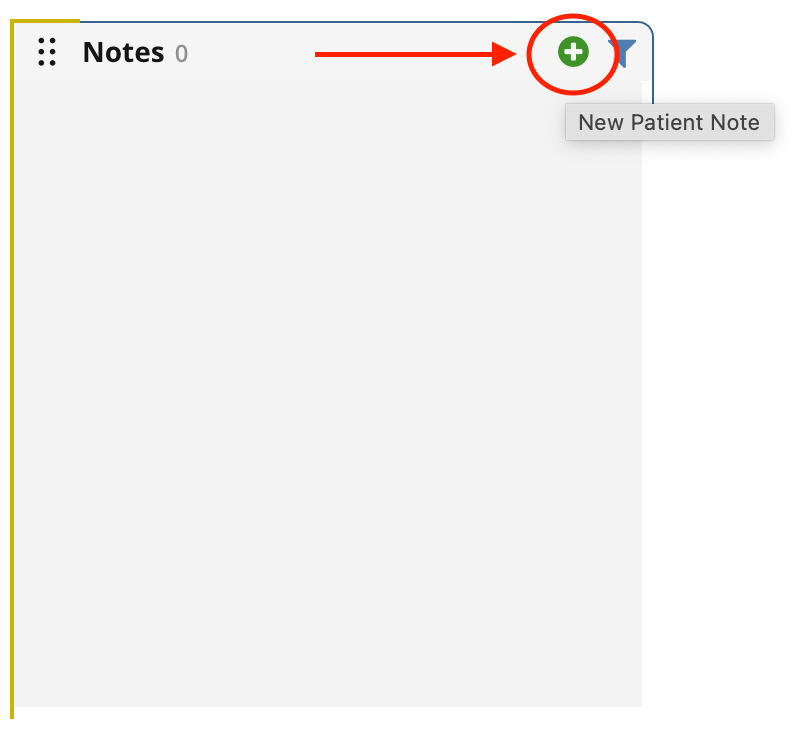
Create a new note by selecting the green plus sign in the Notes chart card
- Select Mental Health from the Template Type
-
Select Tools - GAD-7 Anxiety or Tools - PHQ-9 Questionnaire from the Template

- Once selected, go to the Note

Step 3: Administer the survey
- Administer the survey to your client verbally in session by asking them the GAD-7 and PHQ-9 question set
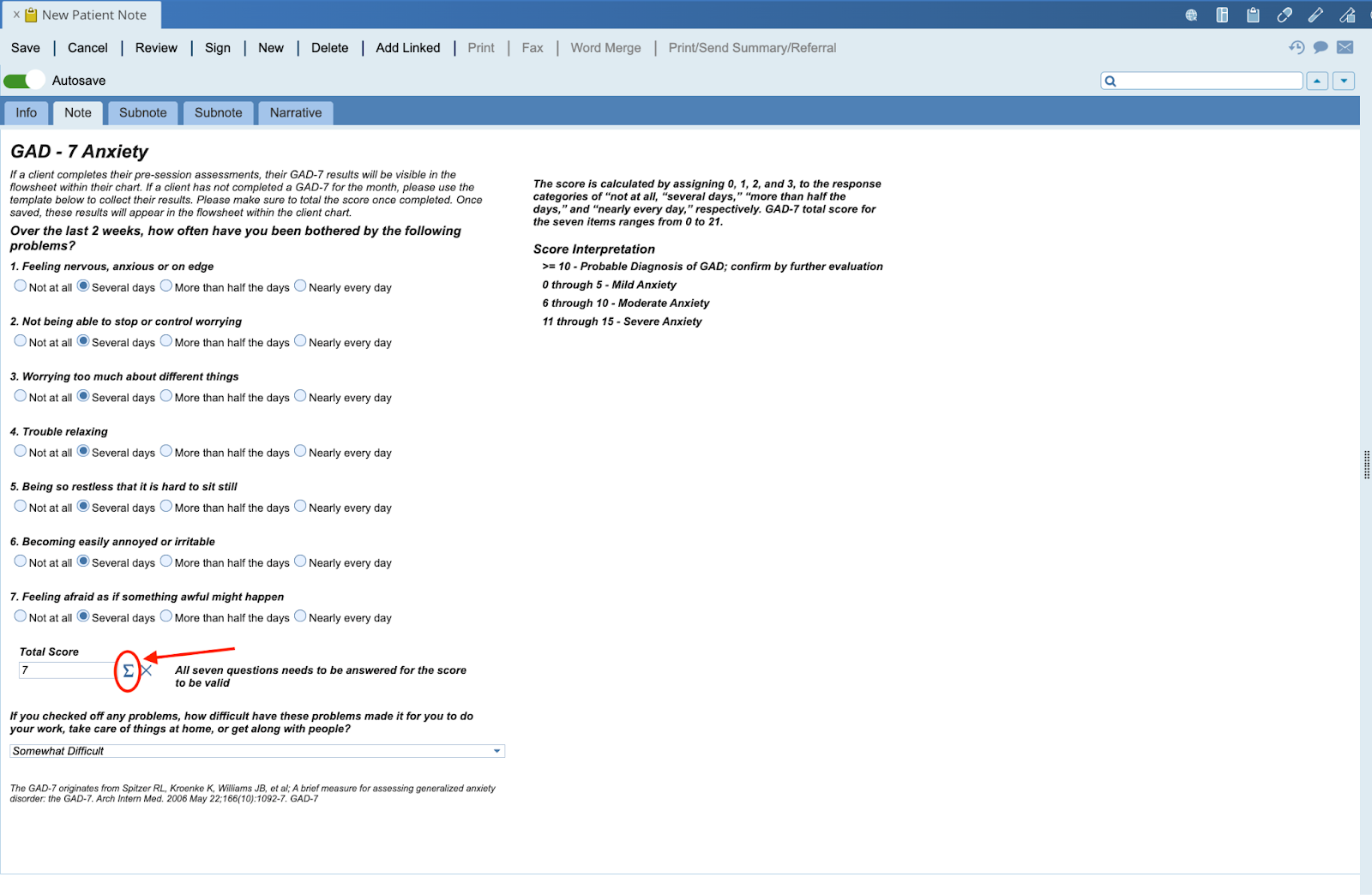
- Record the clients responses directly in the note template
-
Once you have each answer selected, click the summation button at the bottom of the template to calculate the total score
- Save and Sign the note
Step 4: Review results
-
The data you just collected from this note will now appear in flowsheets.

-
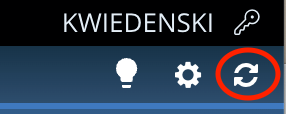
You may need to refresh the client chart AdvancedMD for the data to appear.

Each note template provides the question set for the GAD-7 and PHQ-9, along with the interpretation of the results. You can also view the questions and interpretations here.
Best Practices for Measurement-Based Care
✔️ Administer assessments at intake, bi-weekly, and at discharge
✔️ Share results with clients in non-judgmental language to identify and explore areas of concerns and celebrate progress
✔️Use the results to collaborate with clients on modifying treatment plans and document outcomes
✔️ Coach and encourage clients to fill these out with focus on a 2 week time frame rather than feelings in the moment to help redirect clients to larger progress or symptom picture
FAQs
Will the scores from the note be saved automatically?
Yes. Once your note is saved, the responses and scores become part of the client’s chart. You will see the results you just collected within the flowsheets chart card. You may need to refresh the clients chart.
Can clients complete the surveys themselves during the session?
Yes. You can verbally administer the surveys, or direct your clients to complete the survey themselves. Clients can access their surveys from their session reminder emails. Before a session begins, clients are also able to complete these assessments directly from their Marvin Member Portal.
When do I have to collect GAD-7 and PHQ-9 surveys from my clients?
Please ensure a PHQ9 and GAD7 are collected every two weeks. These questionnaires are sent out to clients prior to their appointments. However, if they did not complete them, please complete them in session and encourage future completion as a part of feedback informed care, screening, and tracking change over time.
Do I have to collect both the GAD-7 and PHQ-9?
Yes. This information is clinically relevant to screening, tracking progress and outcomes. It is also often a requirement for reimbursement from insurance companies.
Can I add the GAD-7 and PHQ-9 scores directly to the flowsheet?
No. Please do not add any scores directly to the flowsheet in AdvacendMD. Please use the designated note templates to document your administration of the questionnaires.